ACORDE COMPOSER · ARRANGEMENT
Hear Acorde arrange a melody
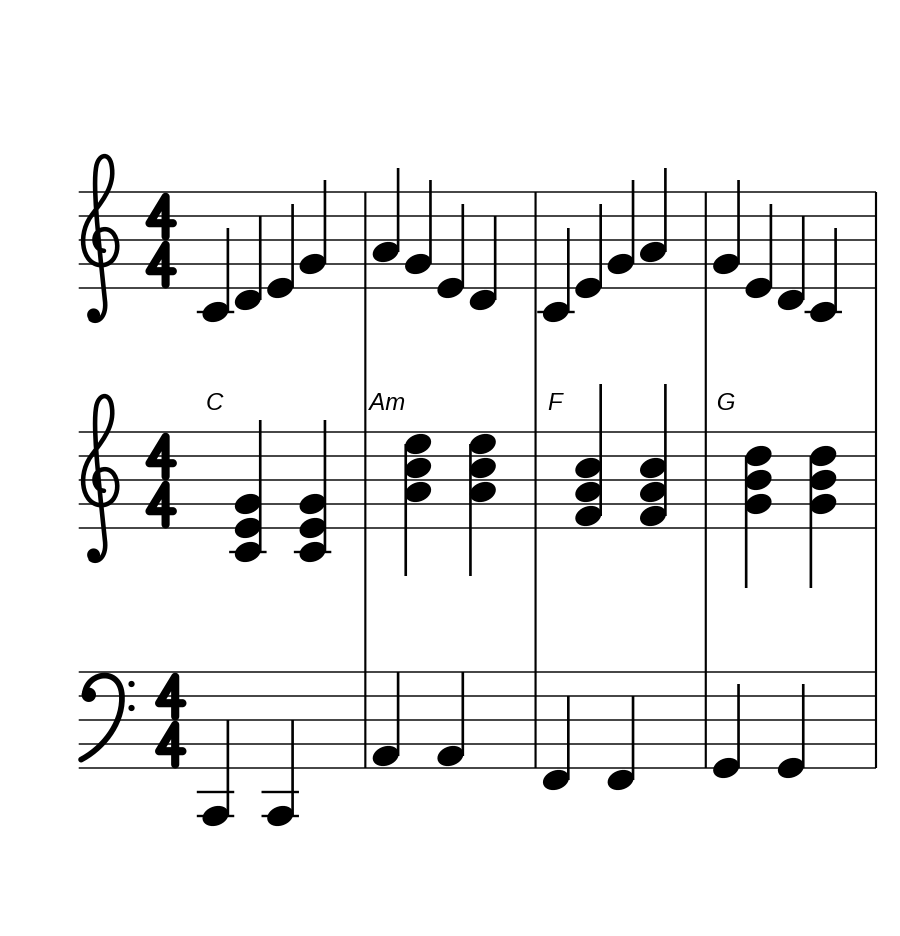
Compare the score and sound before and after arranging. These saved examples were generated with Acorde v1.3.12; their notation places chords and bass on separate staves without changing the notes. The linked eight-measure Playground demo bundles v1.3.15.
Bass and chords
A bass note marks each beat while chords support the melody. Compare the same four measures before and after arranging.
- Input
- 4/4 · C | Am | F | G
- Arrangement
- Bass and chord pulse · no added voice
C D E G | A G E D | C E G A | G E D C |
Try the eight-measure Playground version →Waltz accompaniment
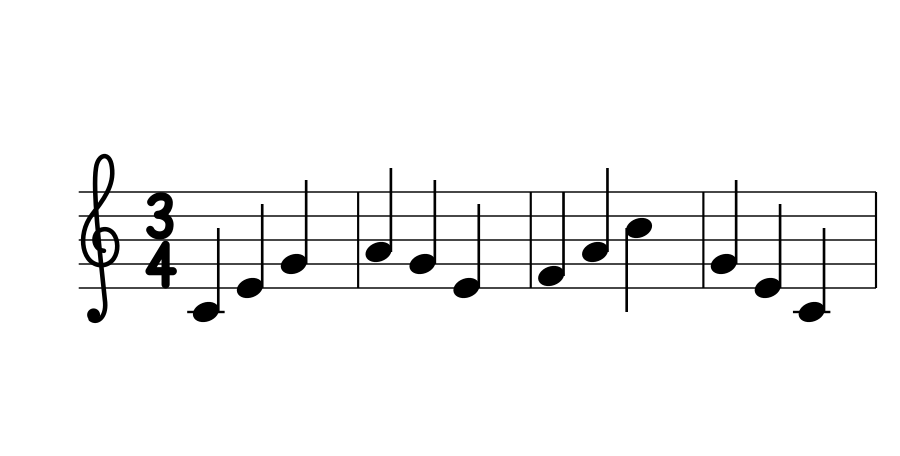
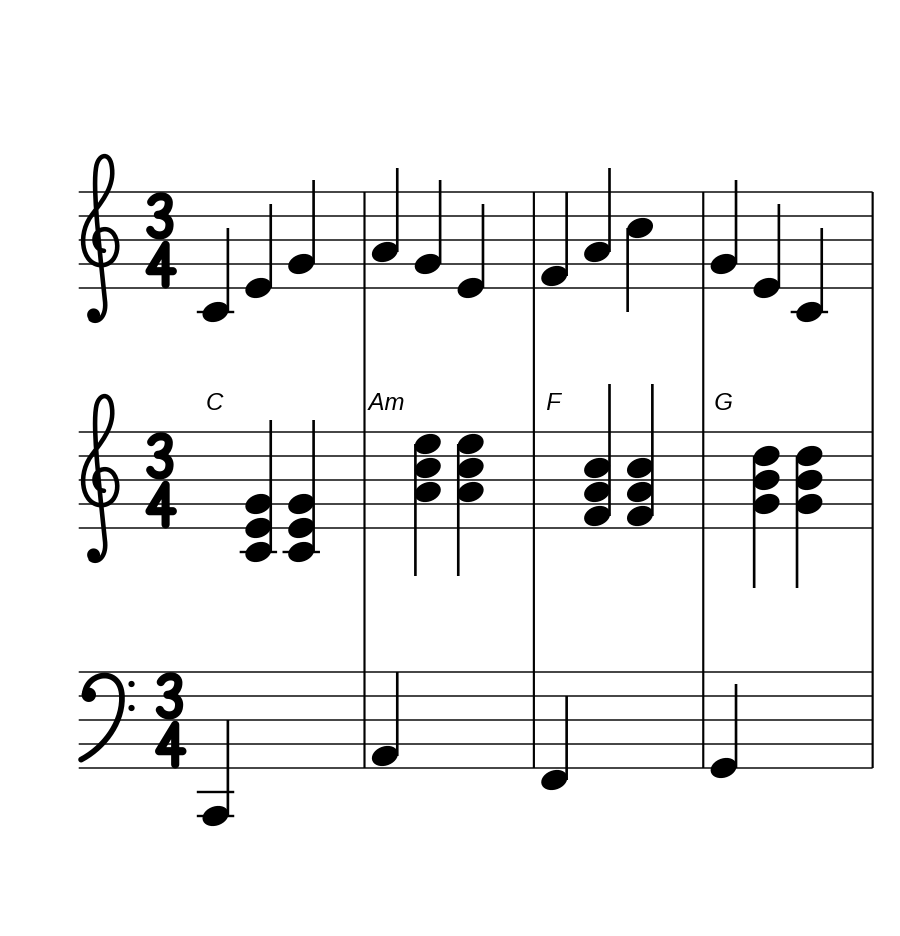
The bass plays on beat one; chord tones fill the following beats. The original melody stays in the score.
- Input
- 3/4 · C | Am | F | G
- Arrangement
- Waltz bass · no added voice
C E G | A G E | F A c | G E C |
Try the eight-measure Playground version →Another melodic voice
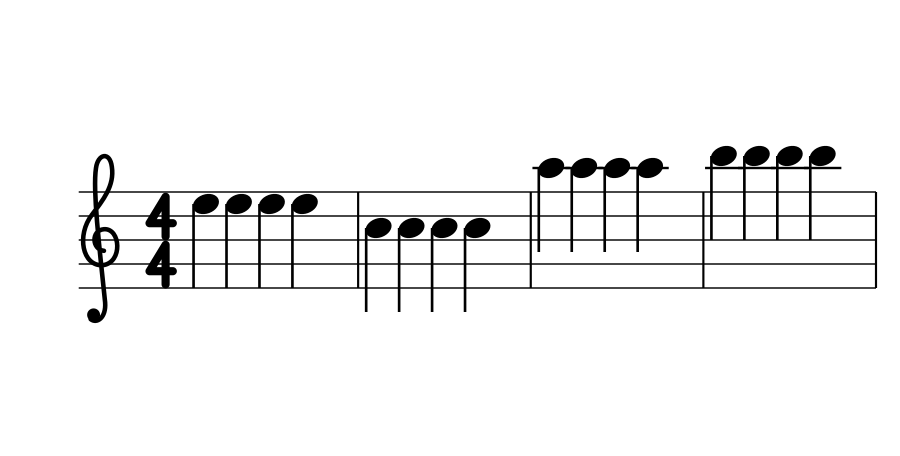
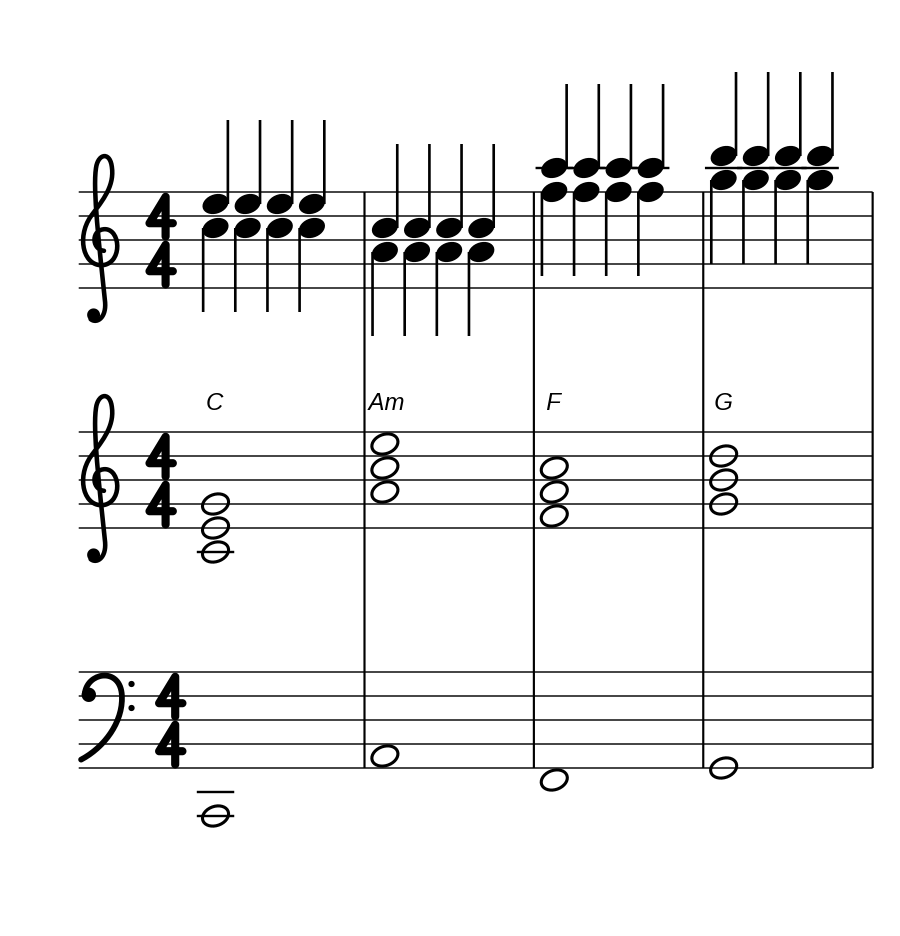
A line below the melody adds harmony alongside the accompaniment. The added notes are highlighted in the Playground score.
- Input
- 4/4 · C | Am | F | G
- Arrangement
- Held chord · third below
e e e e | c c c c | a a a a | b b b b |
Try the eight-measure Playground version →What the demo needs
Choose one monophonic melody voice and provide one major or minor chord per measure. Available accompaniment patterns depend on the meter. The Playground imports MusicXML or ABC and exports the result as MusicXML. It is a small browser demo; the desktop editor is available separately.
Get the desktop app ↗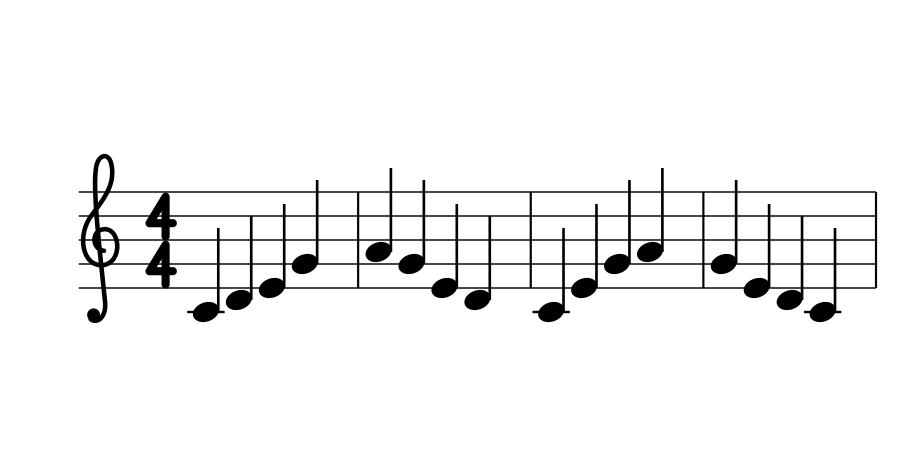 Download MusicXML ↓
 Download MusicXML ↓